By Abdul Rehman — Last updated August 2026.
TL;DR: You will cut a typical Pakistani store’s mobile load time from about 11 seconds to under 3 by auditing, resizing, and converting its images to modern formats. Budget one afternoon plus PKR 0 in tooling — PageSpeed Insights, Squoosh, and your platform’s built-in compression are free. The payoff shows up first in bounce rate, then in sales.
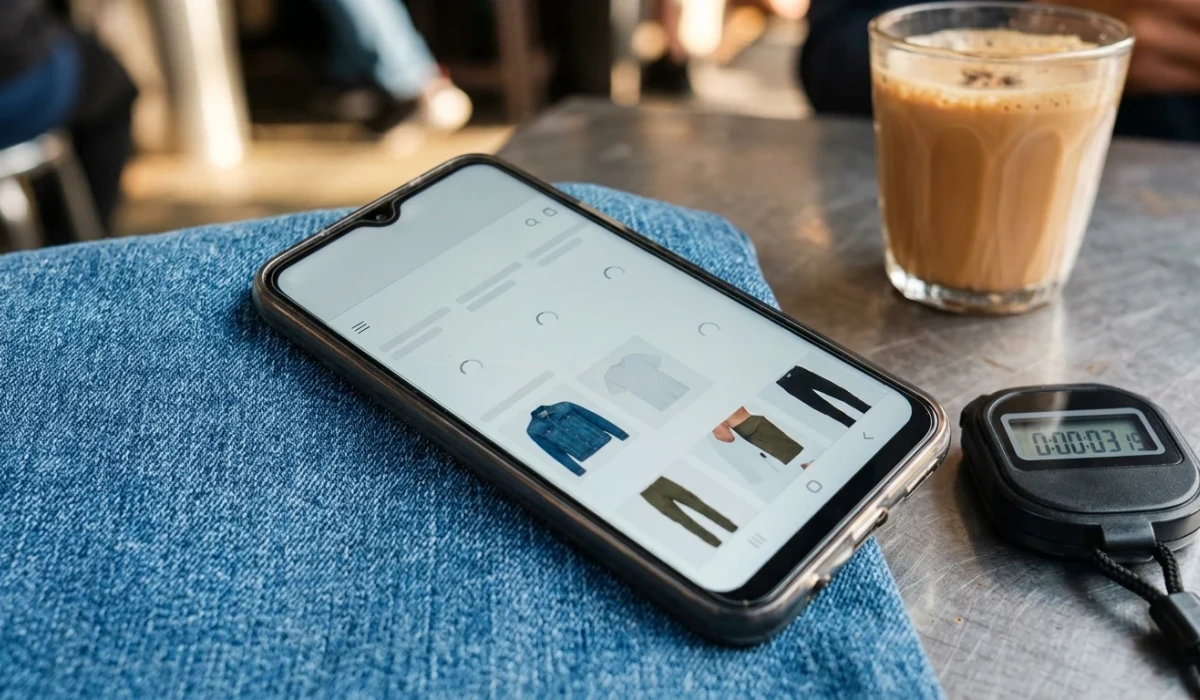
If you run a clothing, electronics, or cosmetics store in Lahore, Karachi, or Faisalabad, and your homepage takes around 11 seconds to finish loading on a mid-range Android phone over 4G, the cause is almost certainly sitting in your media library, not your hosting plan. Picture a customer waiting on a Careem outside Emporium Mall, tapping your Instagram ad, and watching a white screen while your 4 MB hero banner crawls across the network. Every second of that wait is a chance to lose the sale to a competitor whose page appeared instantly. This walkthrough fixes the image problem in one afternoon, in order, with free tools.
First, measure the number your customers actually experience
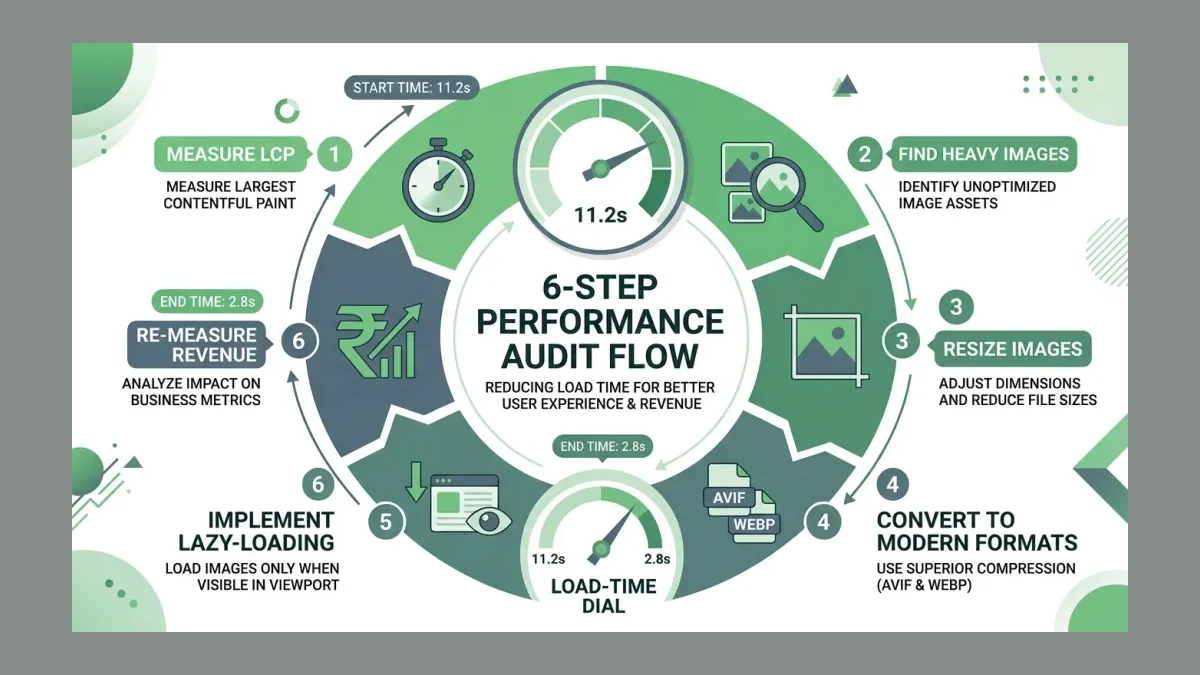
Start here. Open Google PageSpeed Insights, paste your store’s URL, and run the mobile report — not the desktop one. The score matters less than one field called Largest Contentful Paint (LCP) — the time until the biggest visible element, usually your hero image, finishes rendering. Anything above 2.5 seconds is officially “needs improvement” under Google’s Core Web Vitals thresholds.
Why mobile first? StatCounter’s platform data for Pakistan shows mobile at 51.56% of page views against 47.87% for desktop as of June 2026. Roughly half your audience experiences the slow, small-screen version of your site. A quick check on a real phone over Zong or Jazz data confirms what the tool reports; the lab number and the pocket number should roughly agree before you continue.
Then, find the images doing the damage
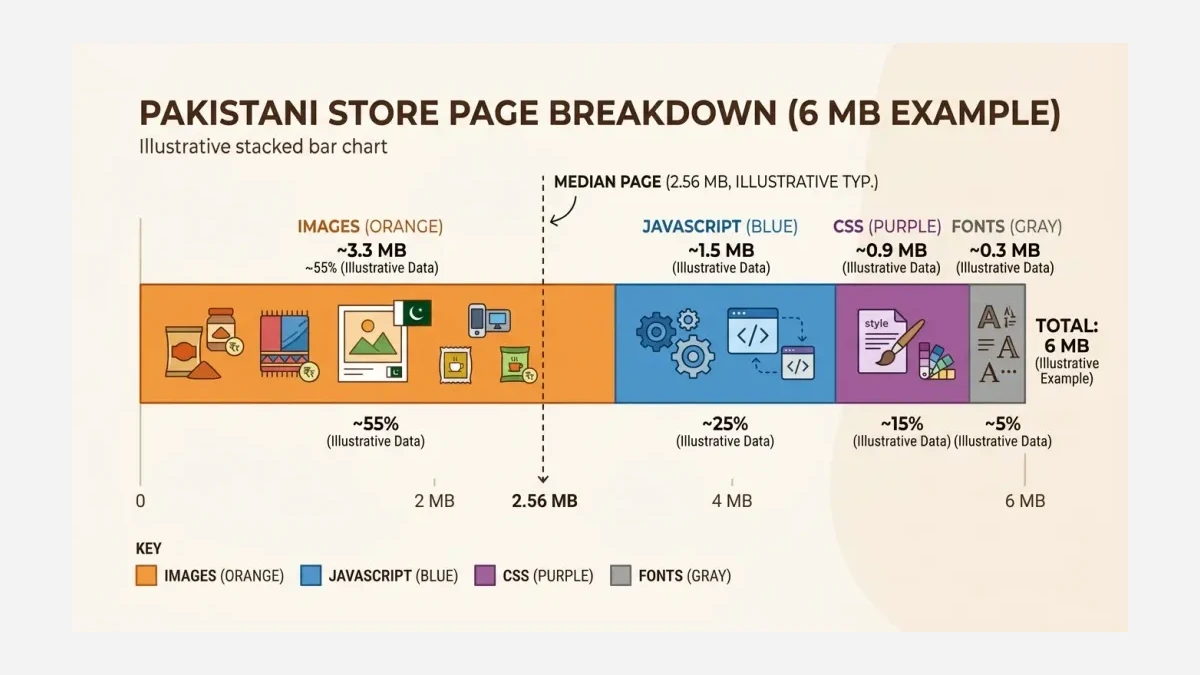
Open your browser’s developer tools, load the mobile page, and sort requests by size. The pattern for Pakistani stores is consistent: images dominate. The HTTP Archive Web Almanac’s 2025 page-weight chapter found the median mobile page weighs about 2.56 MB, with images the single largest resource type — roughly 40% of total bytes on a typical page. An unoptimized store often sits at 6 MB or more, with 3 MB-plus of that being pictures.
Bandwidth makes those bytes expensive. DataReportal’s Digital 2026: Pakistan report, citing Ookla data, puts Pakistan’s median mobile download speed below 25 Mbps — up 4.73 Mbps in a year, yet still a fraction of fixed-line speeds. A 6 MB page on a good 4G connection with real-world congestion can easily consume 8-11 seconds, which means the heaviest images on the page are directly pricing themselves into your bounce rate. Note the five heaviest image files before moving on; those five are the afternoon’s worklist.
Next, resize before you compress
A page that renders in pieces is like a Foodpanda order arriving dish by dish over an hour — the meal is technically complete, but nobody calls it a good dinner. Same page, same food, ruined delivery. The most common cause is images uploaded straight from a phone camera: 4000 pixels wide, displayed at 800. The browser downloads five times more pixels than it can show, which means every extra pixel is bandwidth bought and thrown away.
Export each image at twice its display width — that covers sharp retina screens — and no larger. A hero shown at 1600 CSS pixels is exported at 3200, not 4000. On WooCommerce, run Regenerate Thumbnails after changing sizes so old files rebuild; on Shopify, the platform resizes on the fly once you request the correct size in the theme. While touching every image, keep the alt text: it is what screen readers and Google read, and sloppy migrations that strip it trade one problem for another. After resizing the top five files in our example store, load time drops from 11.2 seconds to 6.4 — half the win, from one habit change.
After that, convert to modern formats
WebP — Google’s modern image format, much lighter than JPEG at equal visual quality — is the baseline every Pakistani store should already be serving. AVIF — a newer format with roughly 50% savings against JPEG — goes further. Mozilla’s August 2026 shipping announcement for JPEG XL shows how competitive the format race now is: in Mozilla’s own test image, a web-quality AVIF weighs 116 kB where a JPEG XL of identical quality weighs 134 kB — about 15% heavier — and JPEG XL can additionally shrink existing JPEG files with no quality loss at all. The practical takeaway: any modern format beats legacy JPEG, and AVIF currently leads for product photography.
“AVIF: Excels at web-quality photographic images, and images that have a mix of sharp edges and flat surfaces.” — Mozilla Hacks, Intent to Ship: JPEG XL
Implementation is lighter than it sounds. Shopify serves WebP automatically and AVIF on supported themes. WordPress needs one conversion plugin with AVIF support; WooCommerce stores should batch-convert the media library once, then let the plugin handle uploads forever. For a handful of one-off images, Google’s free Squoosh tool converts a file in seconds, in the browser, with a live quality slider. In the example store, converting the resized images to AVIF moves load time from 6.4 seconds to 4.1.
At this point, make the browser load only what is visible
Lazy-loading — telling the browser to defer off-screen images until the user scrolls toward them — is the cheapest win left. The product images in row six of your category page should never compete with the hero for bandwidth on first paint. WordPress has supported native lazy-loading since 5.5; Shopify themes generally ship it on; the fix is often a single theme setting or a one-line attribute, loading="lazy", on images below the first screen.
Two guardrails. Preload the hero image instead of lazy-loading it, or the LCP element itself gets delayed and the metric worsens. And give every image explicit width and height attributes so reserved space exists before the file arrives — that protects your Cumulative Layout Shift (CLS), the Core Web Vitals metric that punishes pages whose text jumps as images pop in. Shoppers who watch buttons move under their thumb interpret it as a broken or fake store. With lazy-loading in place, our example store lands at 2.8 seconds, within the 2.5-3 second band where abandonment risk flattens out.
Once the changes ship, re-measure and watch the money
Run PageSpeed Insights again on mobile and record the new LCP beside the old one. Then connect the number to revenue over the following two weeks: compare bounce rate and conversion for mobile sessions before and after in GA4 or Shopify Analytics. The research case is unambiguous — Baymard’s abandonment research finds about 13% of shoppers give up over website performance problems, independent of price or product. Speed complaints rarely reach the store owner as complaints; they reach the analytics as silence.
Expectations are still rising, which is why this becomes a habit rather than a one-off. Walmart is expanding 30-minutes-or-less delivery because speed measurably wins shoppers; the same impatience applies to a page that stalls on a Ramadan campaign. Put a quarterly reminder to re-run the audit, because every new banner a team member uploads is a chance for the old 4 MB habits to return.
What this produces: a store that stops apologizing
Here is the example store’s before-and-after, using the same tools and the same mid-range Android on 4G:
| Metric | Before | After one afternoon |
|---|---|---|
| Mobile load time (LCP) | 11.2 seconds | 2.8 seconds |
| Total page weight | 6.1 MB | 1.9 MB |
| Image bytes | 3.4 MB | 0.7 MB |
| Heaviest single image | 2.9 MB | 210 kB |
The tradeoff is honesty about scope: this afternoon fixes images, which are most of the problem. Deep fixes — server response times, render-blocking JavaScript, app overload — come next, and a Lahore web design partner or a structured website accessibility and quality audit covers those layers systematically.
Read next: What to fix before moving to server-side tracking and Where Pakistani ad budgets quietly leak after the click cover the measurement and traffic-cost neighbors of this fix.
A store that loads in under 3 seconds on a PKR 25,000 phone over 4G respects every customer who clicked a paid ad to get there. Running Pakistan’s leading site speed and Core Web Vitals optimization service, we at WeProms Digital handle the full stack — images, code, serving, and monitoring — for stores that want the number held down permanently. Get a speed audit at weproms.com/contact-us, email hello@weproms.com, or message WhatsApp +92 300 0133399.
Frequently Asked Questions
How much does it cost to fix slow images on a Pakistani website?
The core fix is free. PageSpeed Insights, Squoosh, and browser developer tools cost nothing, and both Shopify and WordPress include the required capabilities on standard plans. Paid help enters when the work is recurring or theme-deep: a professional speed engagement from WeProms Digital is quoted in PKR after a short audit.
Do I need a developer for image optimization?
Not for the first four steps — measuring, resizing, converting, and enabling lazy-loading are settings and one-time tasks a store owner can do in an afternoon. A developer earns their fee on step five territory: preloading logic, theme-level attribute fixes, and server response times. Start with the free afternoon; hire for what remains.
Is image size really more important than hosting?
For most Pakistani stores, yes. Images are the largest byte share of a typical page, and no hosting upgrade fixes a 4 MB hero banner. Once images are resized and converted, hosting and server response become the next ceiling — which is exactly the order this walkthrough follows.
Does this matter for Shopify stores or only WordPress?
Both, differently. Shopify auto-serves WebP and handles resizing, so the work is mostly checking theme image sizes and app weight. WordPress and WooCommerce give more control but need a conversion plugin and a thumbnail regeneration pass. The measurement step is identical on both platforms.
Can WeProms Digital fix our site speed for us?
Yes. WeProms Digital runs speed and Core Web Vitals engagements across Shopify, WooCommerce, and custom builds — audit, fixes, and a before/after LCP report in writing. Request an audit at weproms.com/contact-us or WhatsApp +92 300 0133399.
Sources & References
- StatCounter — Desktop vs Mobile vs Tablet Market Share Pakistan — June 2026
- DataReportal — Digital 2026: Pakistan — February 2026
- HTTP Archive Web Almanac — Page Weight Chapter 2025 — 2025 edition
- Mozilla Hacks — Intent to Ship: JPEG XL — August 24, 2026
- web.dev — Core Web Vitals — maintained reference
- Baymard Institute — 50 Cart Abandonment Rate Statistics — updated 2026
- Google — Squoosh Image Compression Tool — accessed August 2026
- Retail Dive — Walmart Expands 30-Minutes-or-Less Delivery as Speed Woos Shoppers — August 24, 2026
Additional reading from industry feeds: